> ## Documentation Index
> Fetch the complete documentation index at: https://docs.sourcemedium.com/docs/llms.txt
> Use this file to discover all available pages before exploring further.

# Set up a new workspace

> Complete company and store details before reviewing the agreement and account-specific terms.

Watch the short narrated walkthrough, or follow the written steps and
screenshots below.

<Frame>
  <video controls preload="metadata" className="block dark:hidden w-full aspect-video" src="https://mintcdn.com/sourcemedium/K5lUpLPqOZ8d4vZu/images/product-tours/self-service-onboarding/demo.mp4?fit=max&auto=format&n=K5lUpLPqOZ8d4vZu&q=85&s=ee47dcfa0e55225b843a55a8db5bd378" poster="/images/product-tours/self-service-onboarding/01-enter-company-details.png" data-path="images/product-tours/self-service-onboarding/demo.mp4" />

  <video controls preload="metadata" className="hidden dark:block w-full aspect-video" src="https://mintcdn.com/sourcemedium/K5lUpLPqOZ8d4vZu/images/product-tours/self-service-onboarding/demo-dark.mp4?fit=max&auto=format&n=K5lUpLPqOZ8d4vZu&q=85&s=3b63d9991ae798204e1c19c1c6038001" poster="/images/product-tours/self-service-onboarding/01-enter-company-details-dark.png" data-path="images/product-tours/self-service-onboarding/demo-dark.mp4" />
</Frame>

<Steps>
  <Step title="Enter company details">
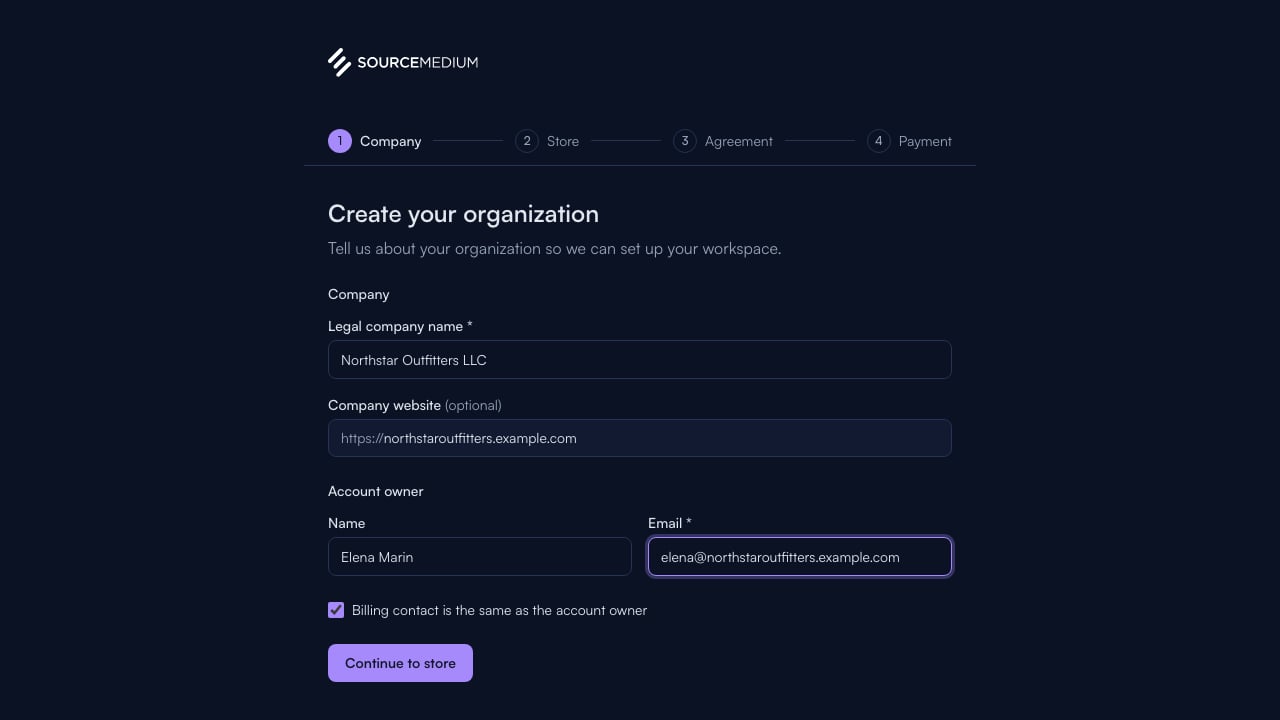
    Start with your legal company name and contact details.
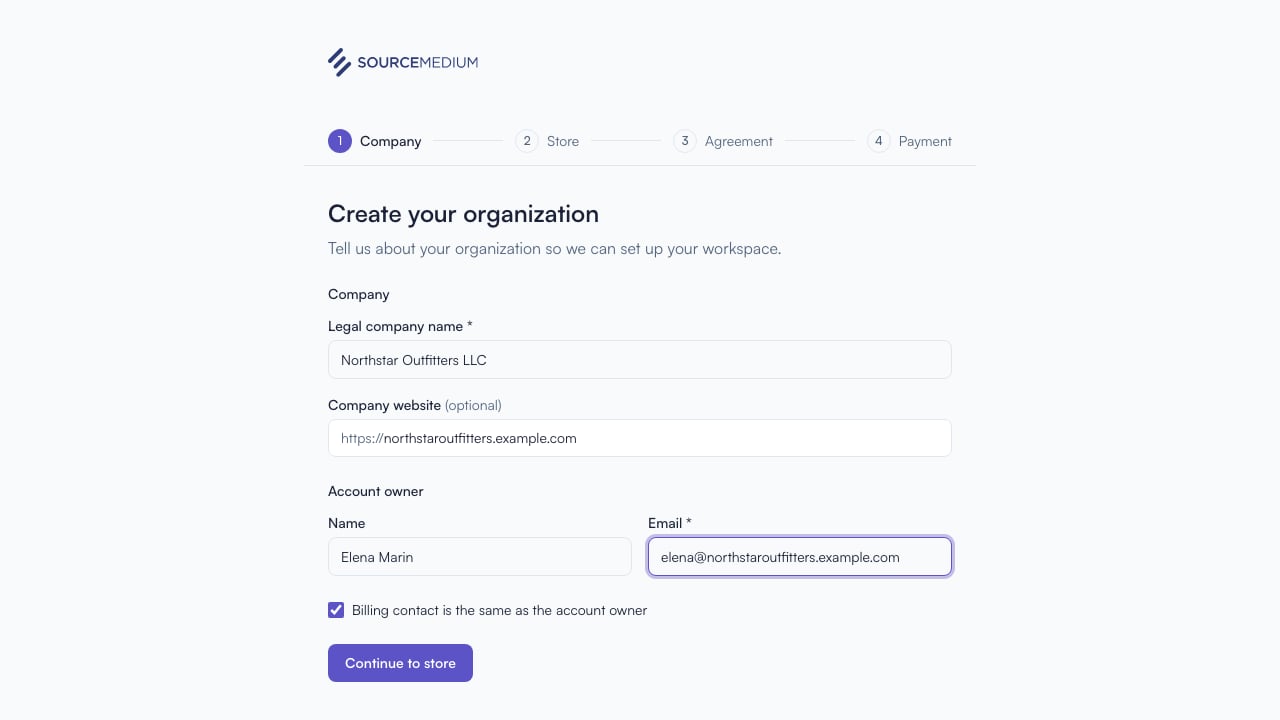
    <img className="block dark:hidden" src="https://mintcdn.com/sourcemedium/K5lUpLPqOZ8d4vZu/images/product-tours/self-service-onboarding/01-enter-company-details.png?fit=max&auto=format&n=K5lUpLPqOZ8d4vZu&q=85&s=be98618e5838bd26b2163ea9cf6e4fe4" alt="Enter company details" width="1280" height="720" data-path="images/product-tours/self-service-onboarding/01-enter-company-details.png" />

    <img className="hidden dark:block" src="https://mintcdn.com/sourcemedium/K5lUpLPqOZ8d4vZu/images/product-tours/self-service-onboarding/01-enter-company-details-dark.png?fit=max&auto=format&n=K5lUpLPqOZ8d4vZu&q=85&s=d28f3a4009d2186aab57a767959b28dd" alt="Enter company details" width="1280" height="720" data-path="images/product-tours/self-service-onboarding/01-enter-company-details-dark.png" />
  </Step>

  <Step title="Add the first store">
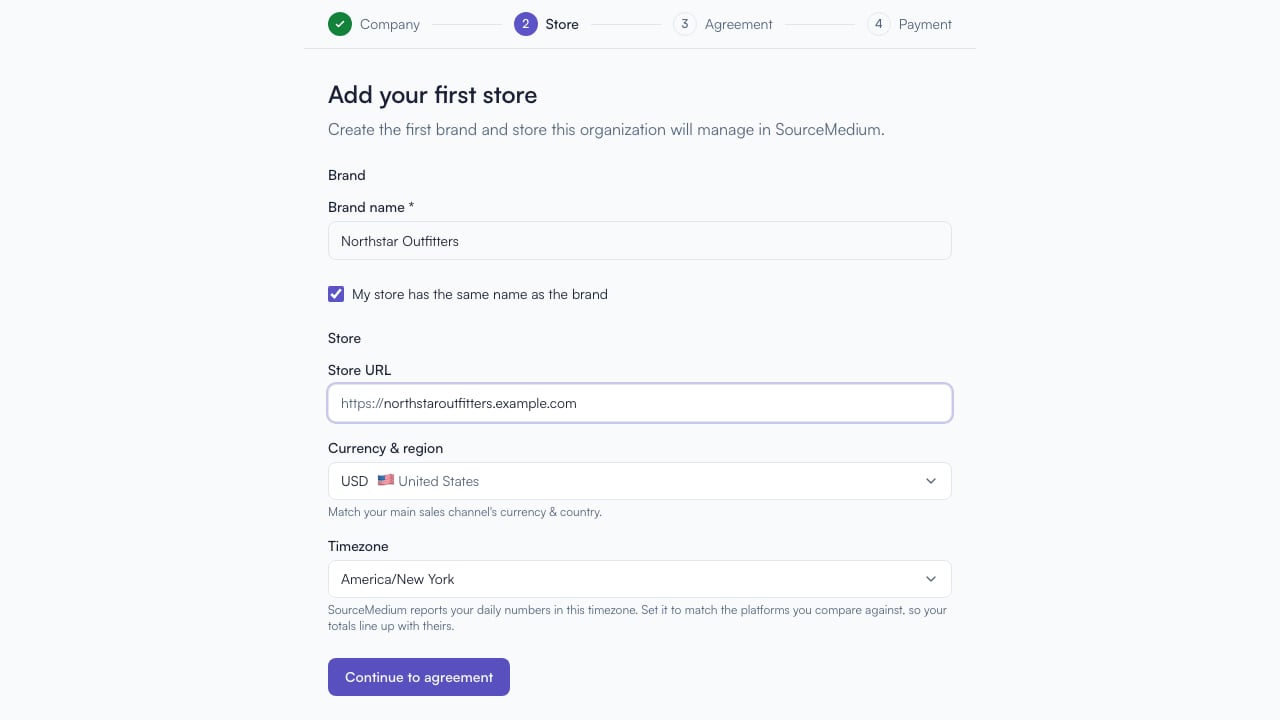
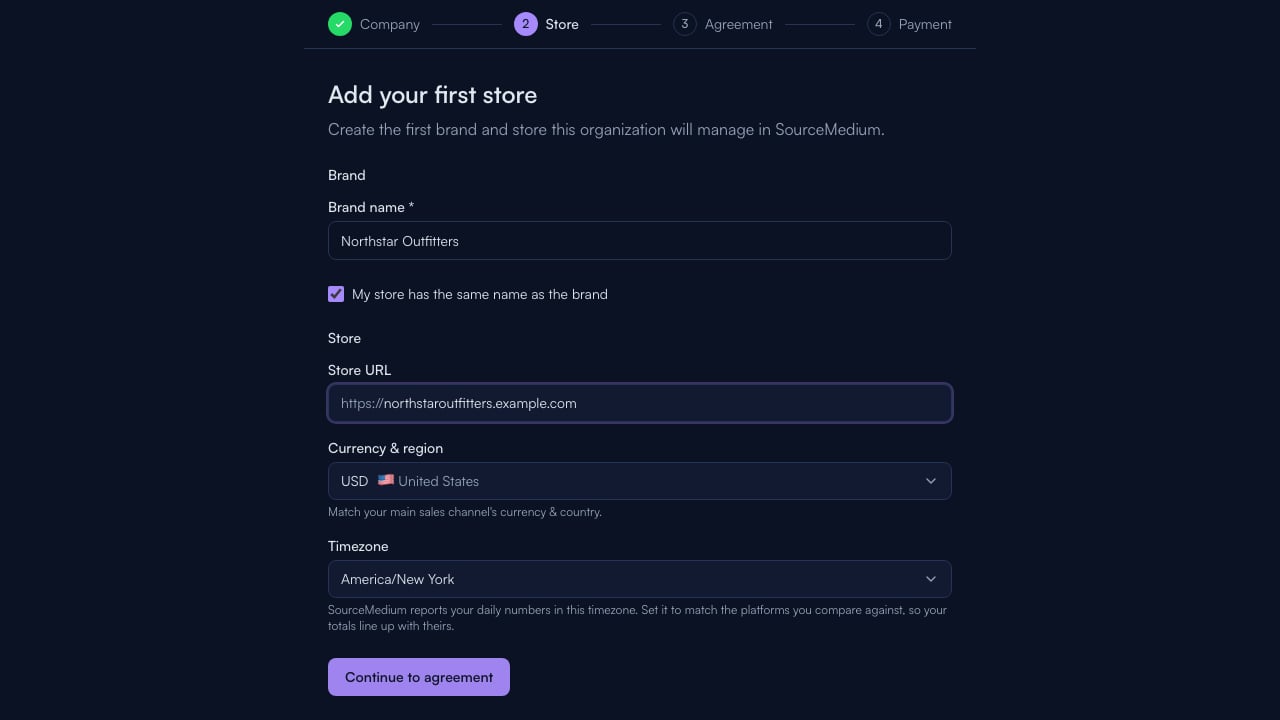
    Save the company profile, then name your first brand and add its storefront URL. Continue to review the agreement prepared for your account.
    <img className="block dark:hidden" src="https://mintcdn.com/sourcemedium/K5lUpLPqOZ8d4vZu/images/product-tours/self-service-onboarding/02-add-the-first-store.png?fit=max&auto=format&n=K5lUpLPqOZ8d4vZu&q=85&s=77850c5716c32c9c896824b09ebc5878" alt="Add the first store" width="1280" height="720" data-path="images/product-tours/self-service-onboarding/02-add-the-first-store.png" />

    <img className="hidden dark:block" src="https://mintcdn.com/sourcemedium/K5lUpLPqOZ8d4vZu/images/product-tours/self-service-onboarding/02-add-the-first-store-dark.png?fit=max&auto=format&n=K5lUpLPqOZ8d4vZu&q=85&s=a0ded051b0643bc38cfbf858fda0b7f2" alt="Add the first store" width="1280" height="720" data-path="images/product-tours/self-service-onboarding/02-add-the-first-store-dark.png" />
  </Step>
</Steps>

## Related

* [Finish payment and start setup](/docs/product-tours/payment-complete)