> ## Documentation Index
> Fetch the complete documentation index at: https://docs.sourcemedium.com/docs/llms.txt
> Use this file to discover all available pages before exploring further.

# Understand your workspace

> Tour the SourceMedium workspace: your store, your data sources, and how to spot a connection that needs attention.

Watch the short narrated walkthrough, or follow the written steps and
screenshots below.

<Frame>
  <video controls preload="metadata" className="block dark:hidden w-full aspect-video" src="https://mintcdn.com/sourcemedium/K5lUpLPqOZ8d4vZu/images/product-tours/workspace-overview/demo.mp4?fit=max&auto=format&n=K5lUpLPqOZ8d4vZu&q=85&s=6dc18a71a1ea7a66bc3303b227a5deb9" poster="/images/product-tours/workspace-overview/01-open-your-workspace.png" data-path="images/product-tours/workspace-overview/demo.mp4" />

  <video controls preload="metadata" className="hidden dark:block w-full aspect-video" src="https://mintcdn.com/sourcemedium/K5lUpLPqOZ8d4vZu/images/product-tours/workspace-overview/demo-dark.mp4?fit=max&auto=format&n=K5lUpLPqOZ8d4vZu&q=85&s=eee45f2aca3fa195e837ef1d563acc6d" poster="/images/product-tours/workspace-overview/01-open-your-workspace-dark.png" data-path="images/product-tours/workspace-overview/demo-dark.mp4" />
</Frame>

<Steps>
  <Step title="Open your workspace">
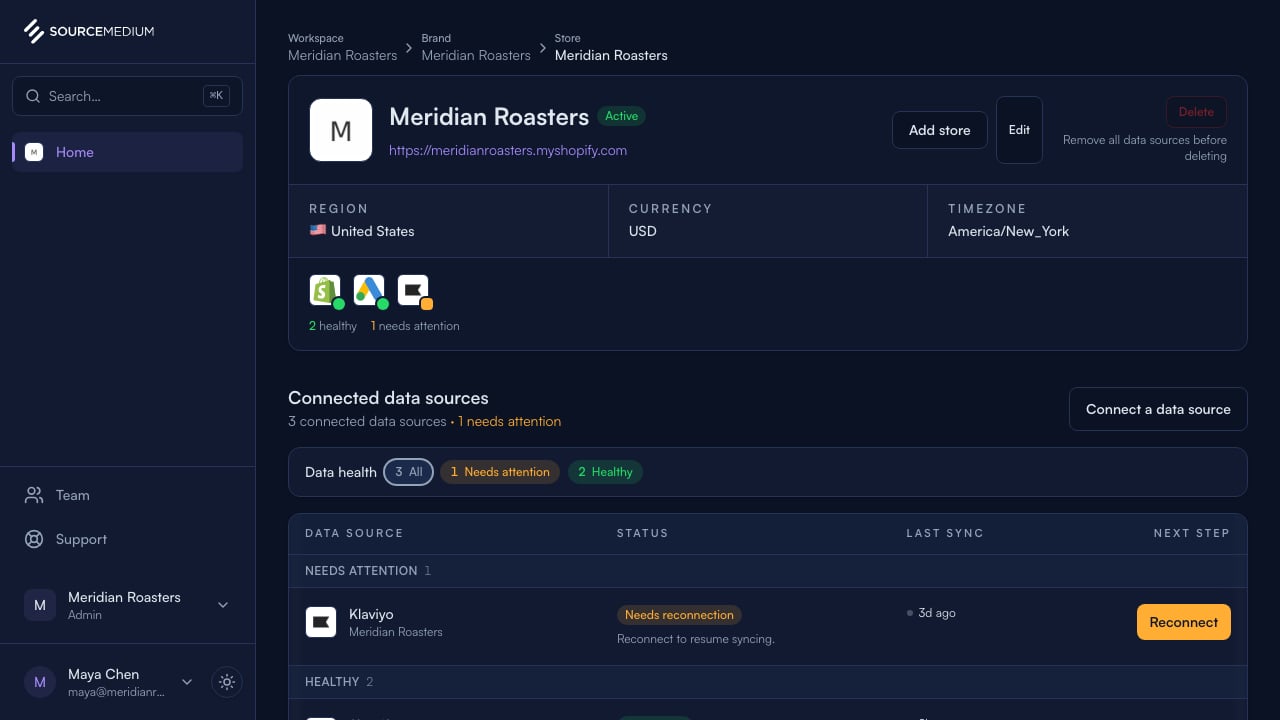
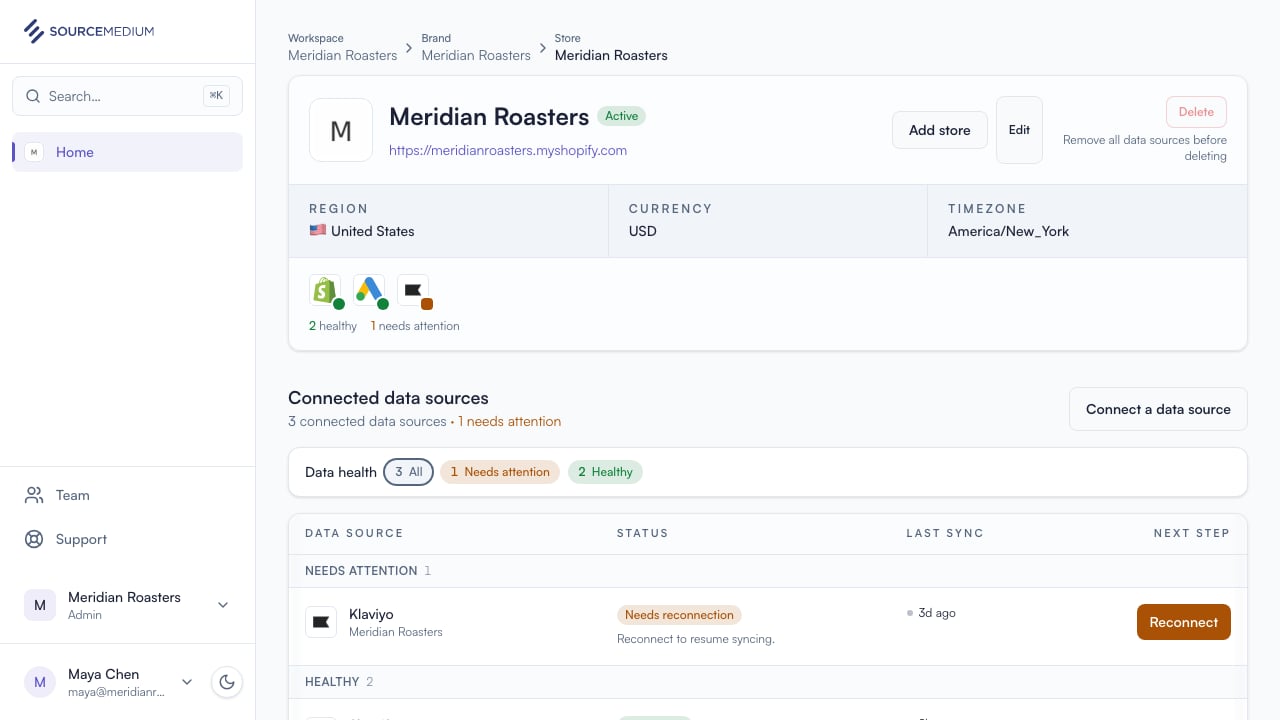
    Signing in lands on your dashboard. With one store, SourceMedium takes you straight into it.
    <img className="block dark:hidden" src="https://mintcdn.com/sourcemedium/K5lUpLPqOZ8d4vZu/images/product-tours/workspace-overview/01-open-your-workspace.png?fit=max&auto=format&n=K5lUpLPqOZ8d4vZu&q=85&s=1f475965f12c43b74d25ea2135623c61" alt="Open your workspace" width="1280" height="720" data-path="images/product-tours/workspace-overview/01-open-your-workspace.png" />

    <img className="hidden dark:block" src="https://mintcdn.com/sourcemedium/K5lUpLPqOZ8d4vZu/images/product-tours/workspace-overview/01-open-your-workspace-dark.png?fit=max&auto=format&n=K5lUpLPqOZ8d4vZu&q=85&s=e6b8412e9479b657ae2a78519fb05cac" alt="Open your workspace" width="1280" height="720" data-path="images/product-tours/workspace-overview/01-open-your-workspace-dark.png" />
  </Step>

  <Step title="See your brands and stores">
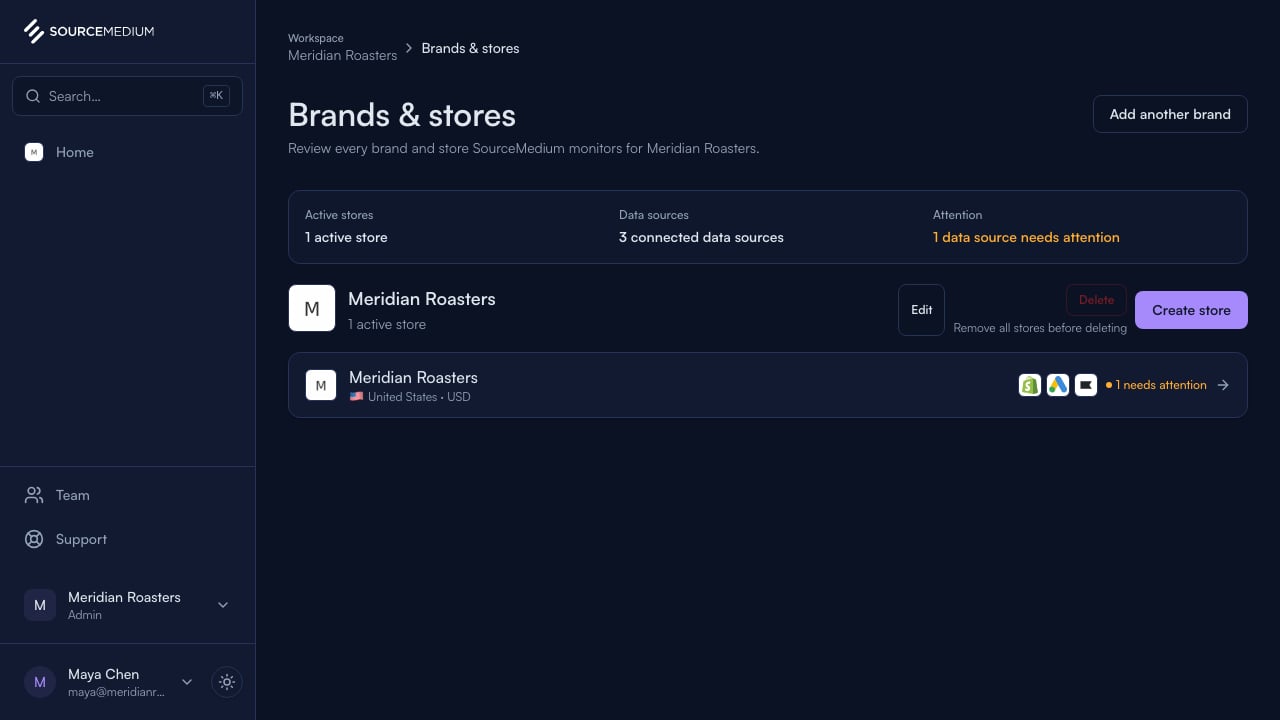
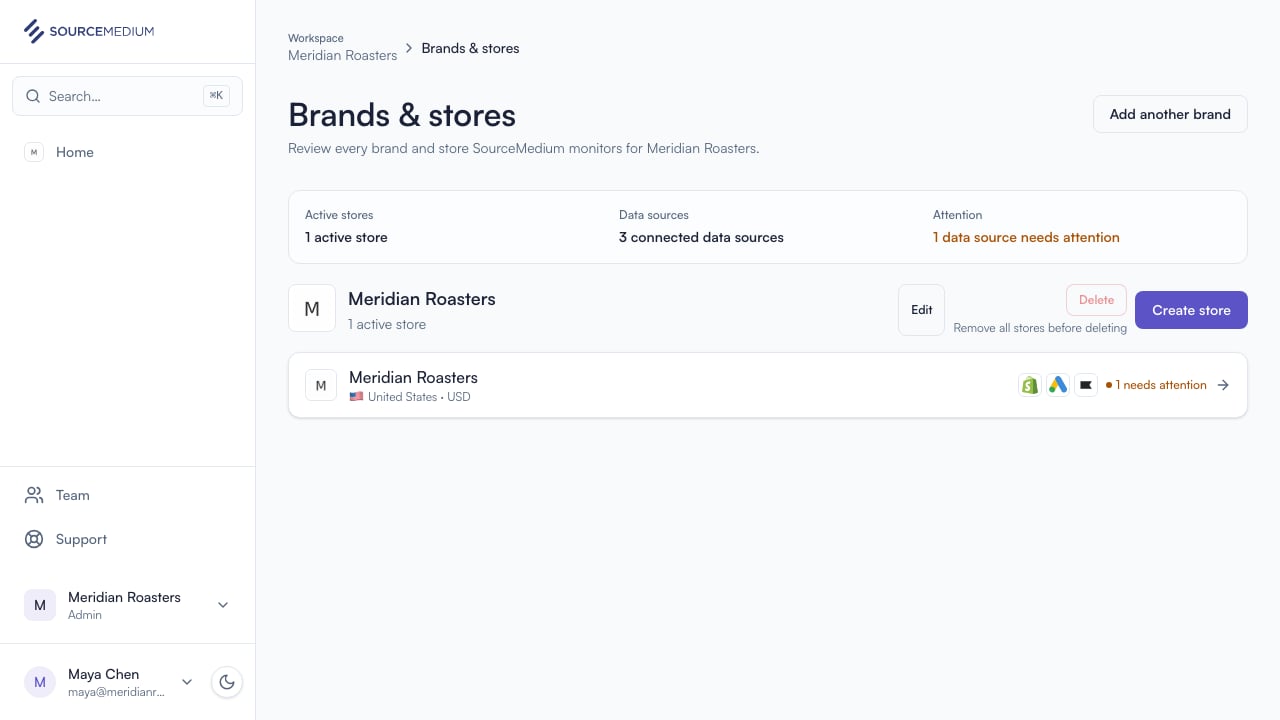
    Brands & stores shows everything SourceMedium is tracking for your organization.
    <img className="block dark:hidden" src="https://mintcdn.com/sourcemedium/K5lUpLPqOZ8d4vZu/images/product-tours/workspace-overview/02-see-your-brands-and-stores.png?fit=max&auto=format&n=K5lUpLPqOZ8d4vZu&q=85&s=eacda8bf5f66707fc02397d4d952060f" alt="See your brands and stores" width="1280" height="720" data-path="images/product-tours/workspace-overview/02-see-your-brands-and-stores.png" />

    <img className="hidden dark:block" src="https://mintcdn.com/sourcemedium/K5lUpLPqOZ8d4vZu/images/product-tours/workspace-overview/02-see-your-brands-and-stores-dark.png?fit=max&auto=format&n=K5lUpLPqOZ8d4vZu&q=85&s=2d269c94015b68797f8b520ec5786c70" alt="See your brands and stores" width="1280" height="720" data-path="images/product-tours/workspace-overview/02-see-your-brands-and-stores-dark.png" />
  </Step>

  <Step title="Check your data sources">
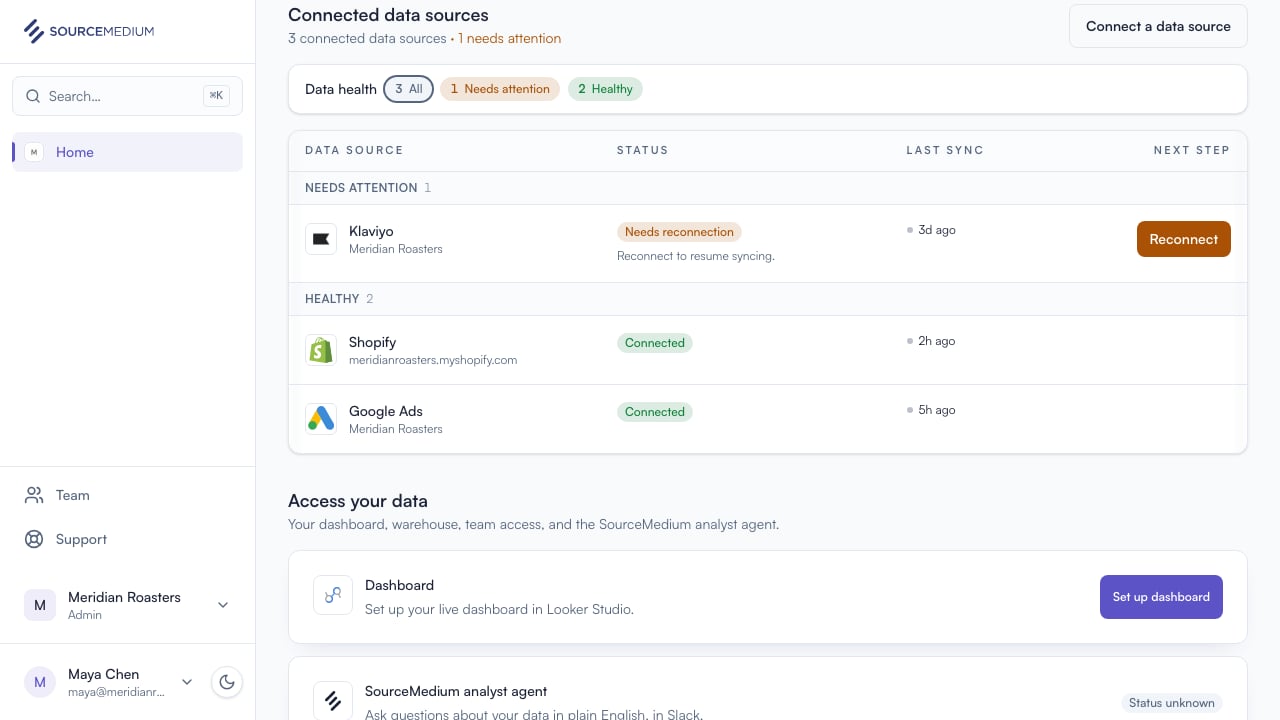
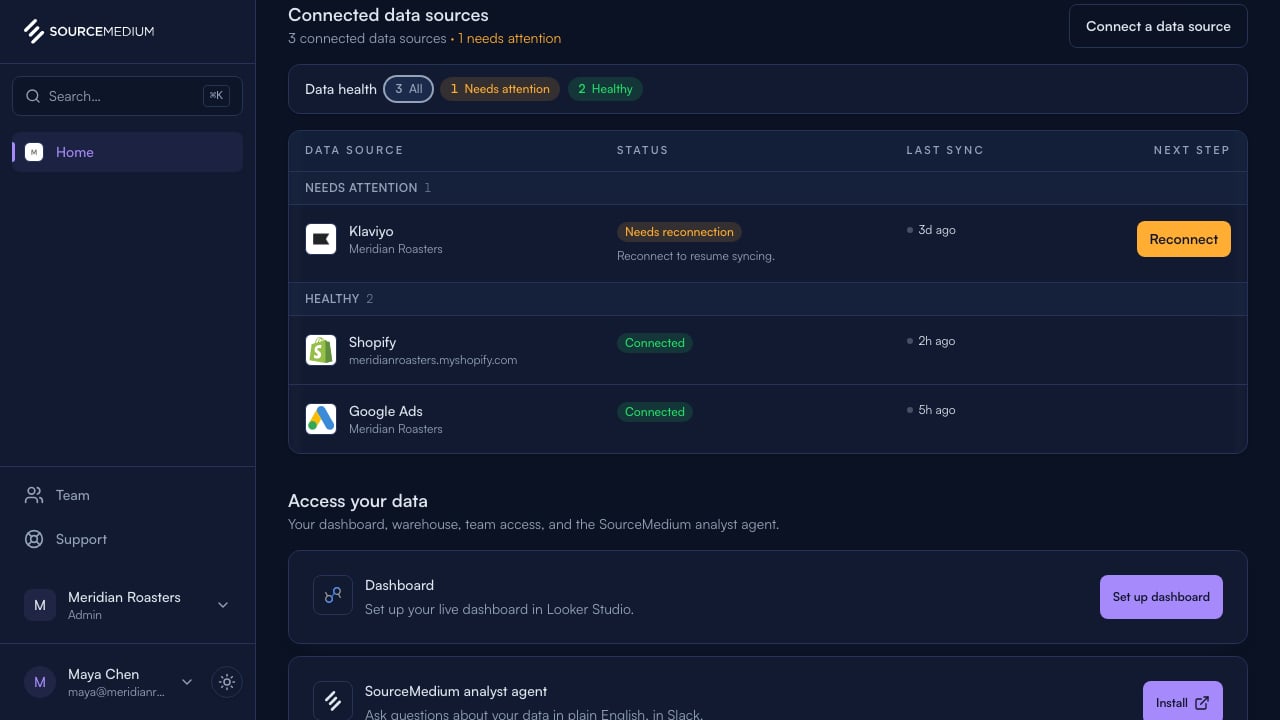
    Each store lists its connected data sources and status. Klaviyo's Needs reconnection status and Reconnect action show exactly what needs attention.
    <img className="block dark:hidden" src="https://mintcdn.com/sourcemedium/K5lUpLPqOZ8d4vZu/images/product-tours/workspace-overview/03-check-your-data-sources.png?fit=max&auto=format&n=K5lUpLPqOZ8d4vZu&q=85&s=b222a679037a5db5620b724deb84c0d1" alt="Check your data sources" width="1280" height="720" data-path="images/product-tours/workspace-overview/03-check-your-data-sources.png" />

    <img className="hidden dark:block" src="https://mintcdn.com/sourcemedium/K5lUpLPqOZ8d4vZu/images/product-tours/workspace-overview/03-check-your-data-sources-dark.png?fit=max&auto=format&n=K5lUpLPqOZ8d4vZu&q=85&s=45bbc2d1b37648faf2494f90b7b45c54" alt="Check your data sources" width="1280" height="720" data-path="images/product-tours/workspace-overview/03-check-your-data-sources-dark.png" />
  </Step>

  <Step title="Open the connection">
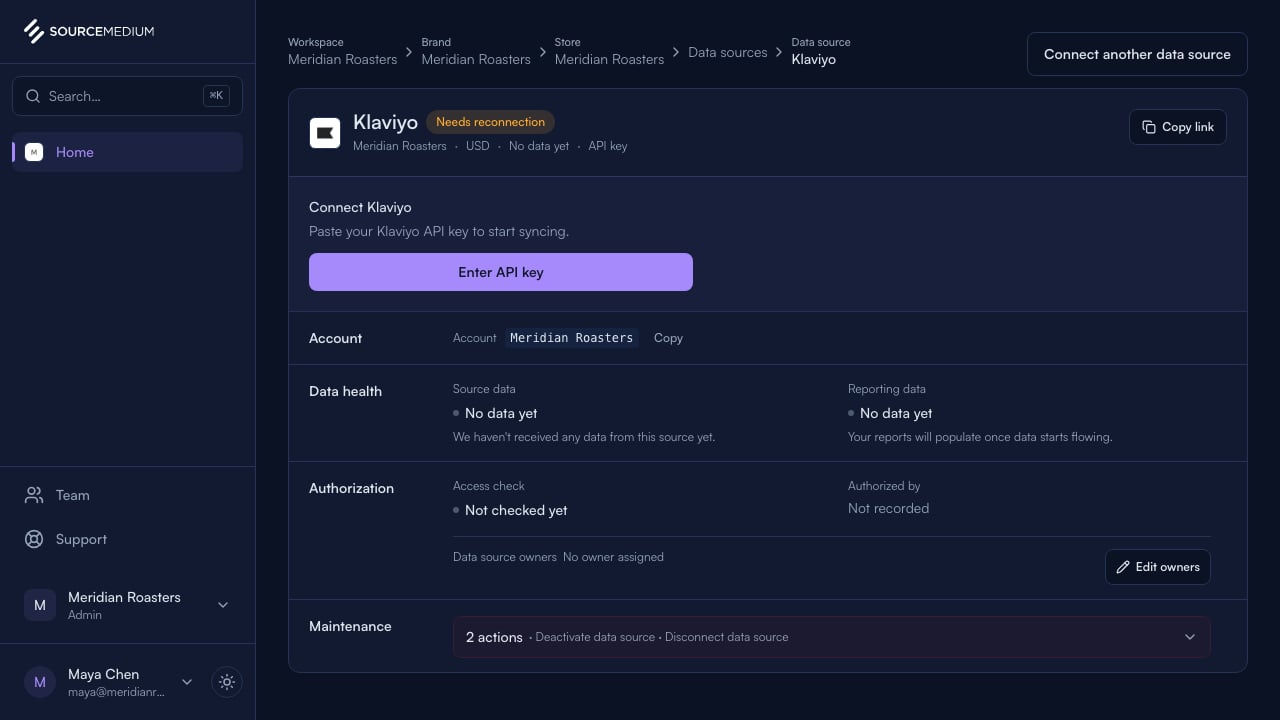
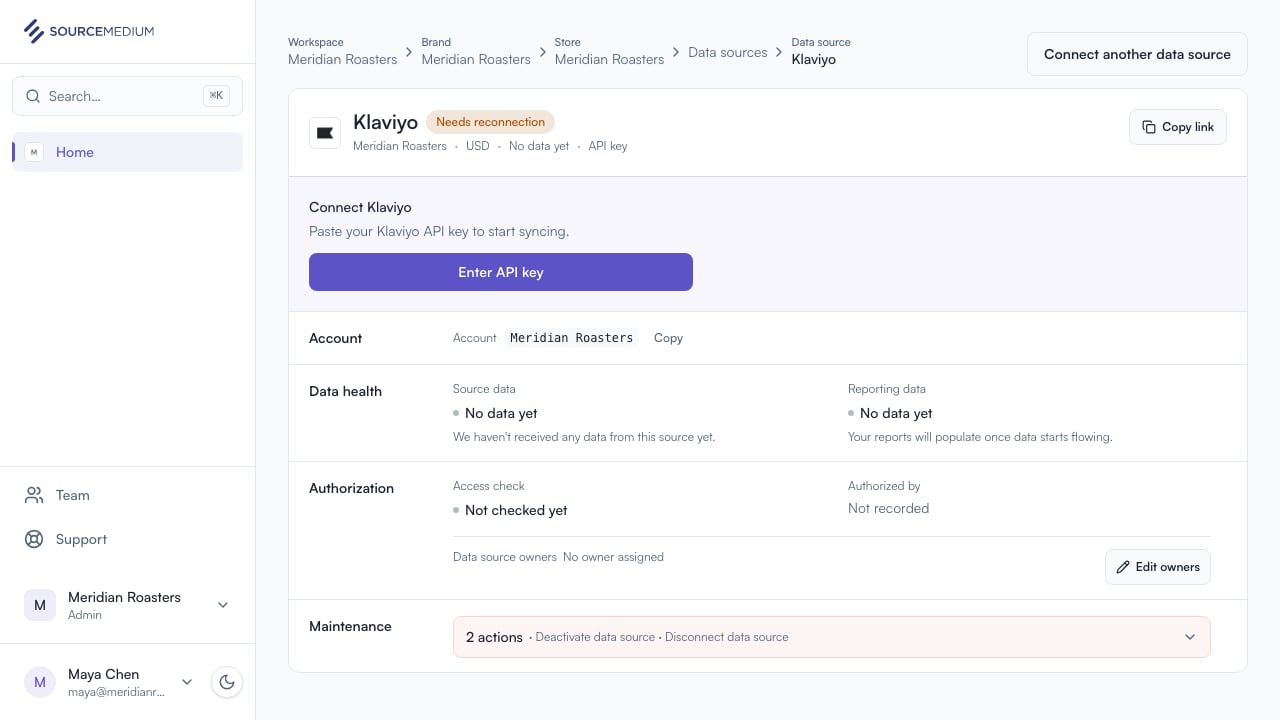
    The connection page has the full picture: sync history, status, and the reconnect action.
    <img className="block dark:hidden" src="https://mintcdn.com/sourcemedium/K5lUpLPqOZ8d4vZu/images/product-tours/workspace-overview/04-open-the-connection.png?fit=max&auto=format&n=K5lUpLPqOZ8d4vZu&q=85&s=6dee5a94259d34184d1479b5f2a44a12" alt="Open the connection" width="1280" height="720" data-path="images/product-tours/workspace-overview/04-open-the-connection.png" />

    <img className="hidden dark:block" src="https://mintcdn.com/sourcemedium/K5lUpLPqOZ8d4vZu/images/product-tours/workspace-overview/04-open-the-connection-dark.png?fit=max&auto=format&n=K5lUpLPqOZ8d4vZu&q=85&s=5927b840b6a570cf4ac775925c372678" alt="Open the connection" width="1280" height="720" data-path="images/product-tours/workspace-overview/04-open-the-connection-dark.png" />
  </Step>
</Steps>

## Related

* [Connection statuses](/docs/product-tours/connection-statuses)